Announcing CargoWall and CodeCargo Starter Edition
)
Close the Gap in GitHub Actions Security
)
March 31, 2026
We're proud to announce that CargoWall is officially open-source software! What started out as an idea several months ago to improve our network security is now ready for your production GitHub Actions workflows. You can find and contribute to the project here: https://github.com/code-cargo/cargowall-action.
We're also excited to launch CodeCargo Starter edition for free. This tier of our platform allows you to configure CargoWall policies to protect your GitHub Actions workflows. Create policies, policy groups, track audit readiness, and block malicious egress network traffic from the CodeCargo platform.
CargoWall Open Source
CargoWall is an open-source GitHub Action that provides an eBPF traffic control layer for your GitHub Actions workflows. It can audit and block traffic between your GitHub Actions runner and any endpoint. Here are a few key features:
- eBPF-based filtering: Uses kernel-level filtering for high performance and reliability
- Hostname filtering: Allow/deny based on domain names
- Subdomains are automatically allowed (i.e.
github.comwould also allowapi.github.com) - CIDR filtering: Allow/deny based on IP address ranges
- DNS tunneling prevention: Blocks DNS queries for non-allowed domains
- Docker support: Automatically configures Docker containers to respect firewall rules
- Sudo lockdown: Optionally restrict sudo access to prevent firewall bypass
- Graceful degradation: Warns and continues if eBPF is unavailable
To get started, insert the following as the first step in your GitHub Actions workflow:
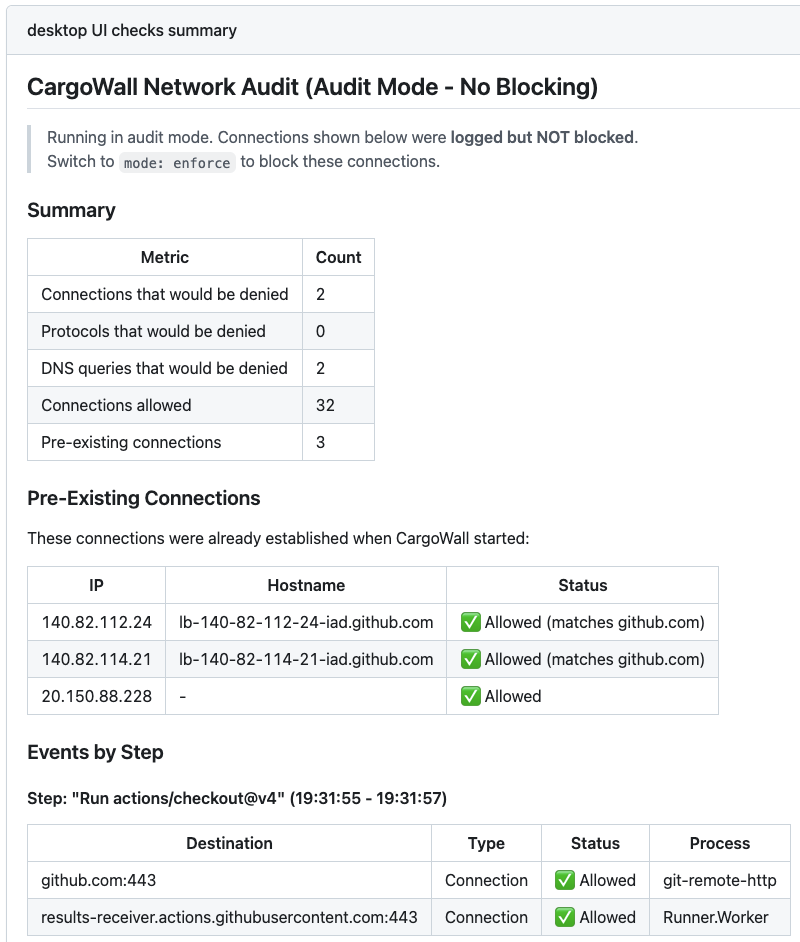
- uses: code-cargo/cargowall@v1 with: default-action: deny allowed-hosts: | github.com, githubusercontent.com, registry.npmjs.orgThis will block all external traffic for your GitHub Actions workflow except for the 3 allowed hosts. Enter the allowed hosts for your GitHub Action, or enable audit mode to see which endpoints your Actions are interacting with. Once you insert this into your GitHub Actions workflows and start using them, you can see log messages in GitHub's workflow runs screen:
CodeCargo Starter Edition
CodeCargo Starter edition is a free offering designed for organizations who want to scale their GitHub Actions network security. It allows organizations to create and distribute policies to your GitHub Actions at the time of execution and would have prevented damage from the recent Trivy attack. To get started with CodeCargo Starter edition, you'll need to enable authentication via GitHub and install the GitHub app.
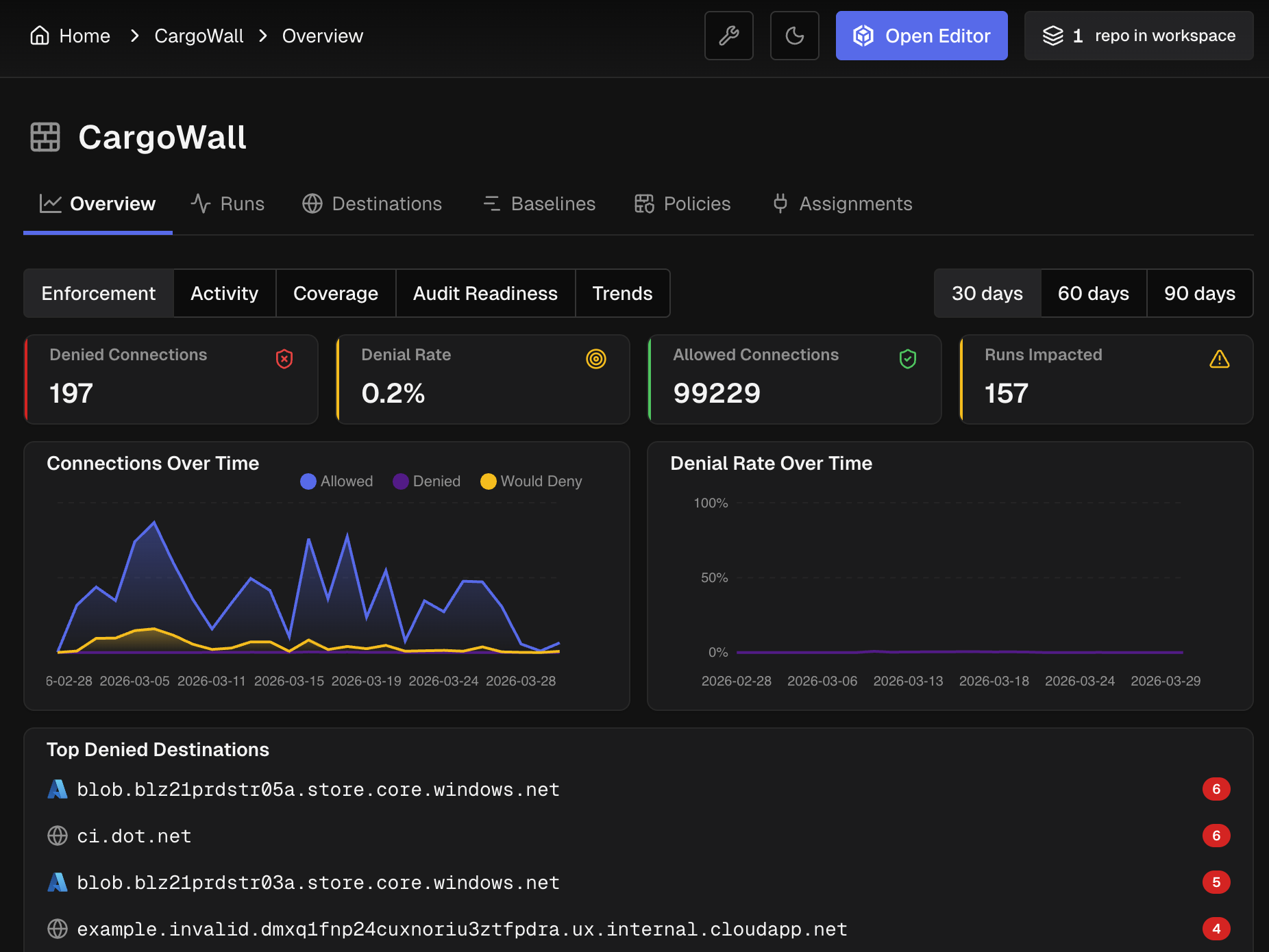
Once you complete those two steps, you'll be able to track your GitHub Actions executions, setup CargoWall policies, and more. Here's a dashboard that shows the successful and blocked connections for your GitHub Actions:
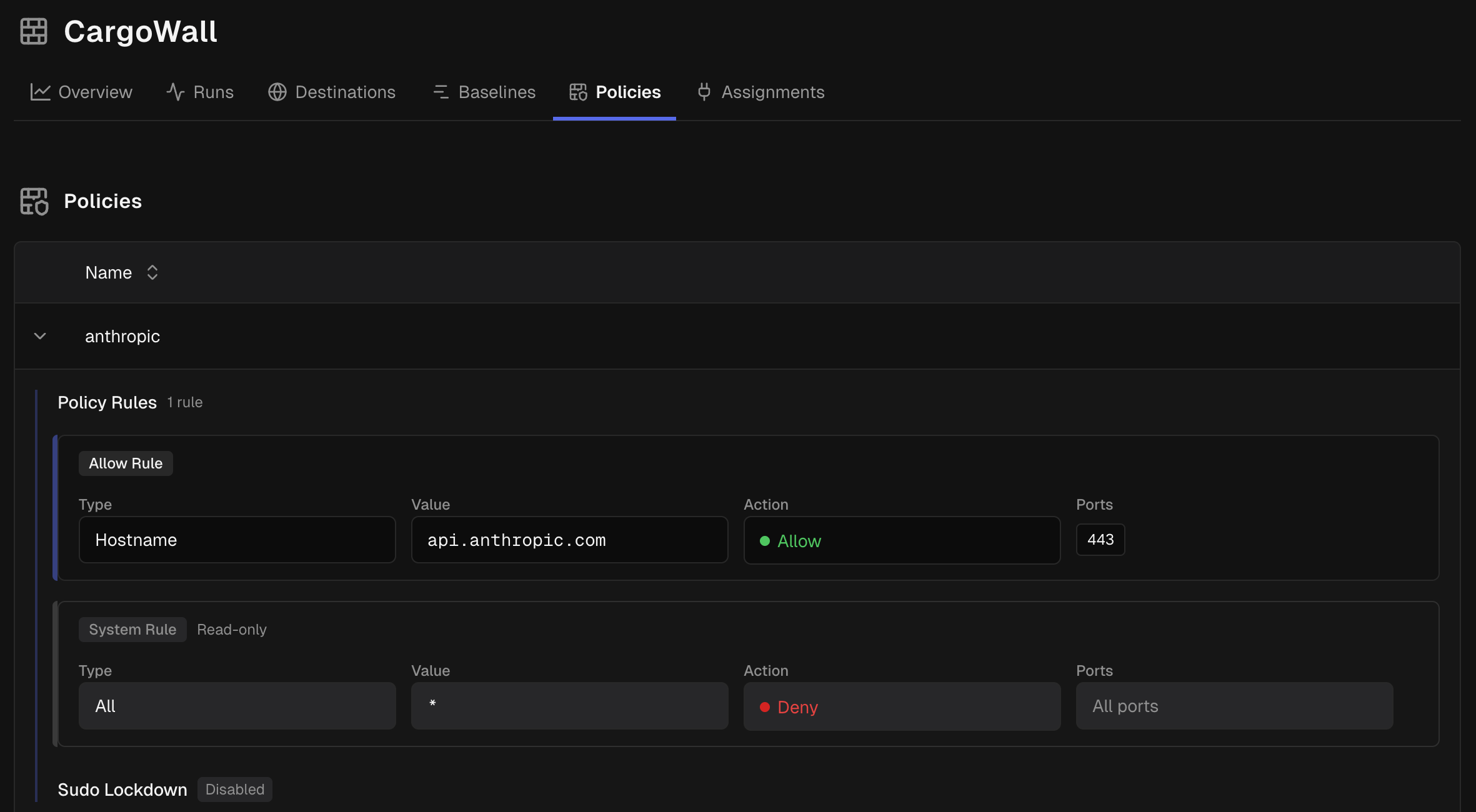
This allows you to provide strong firewall rules to every GitHub Action workflow run in your organization. You can specify multiple policies and group them together, including default policies for every GitHub Actions workflow. These policies would have prevented the recent Trivy exploit that has affected hundreds of thousands of pipelines.
You can also track how reusable workflows are called within your organization to identify dependencies and even non-approved workflows. Here's a dashboard that shows how
actions/setup-node is used in the CargoWall Action repository.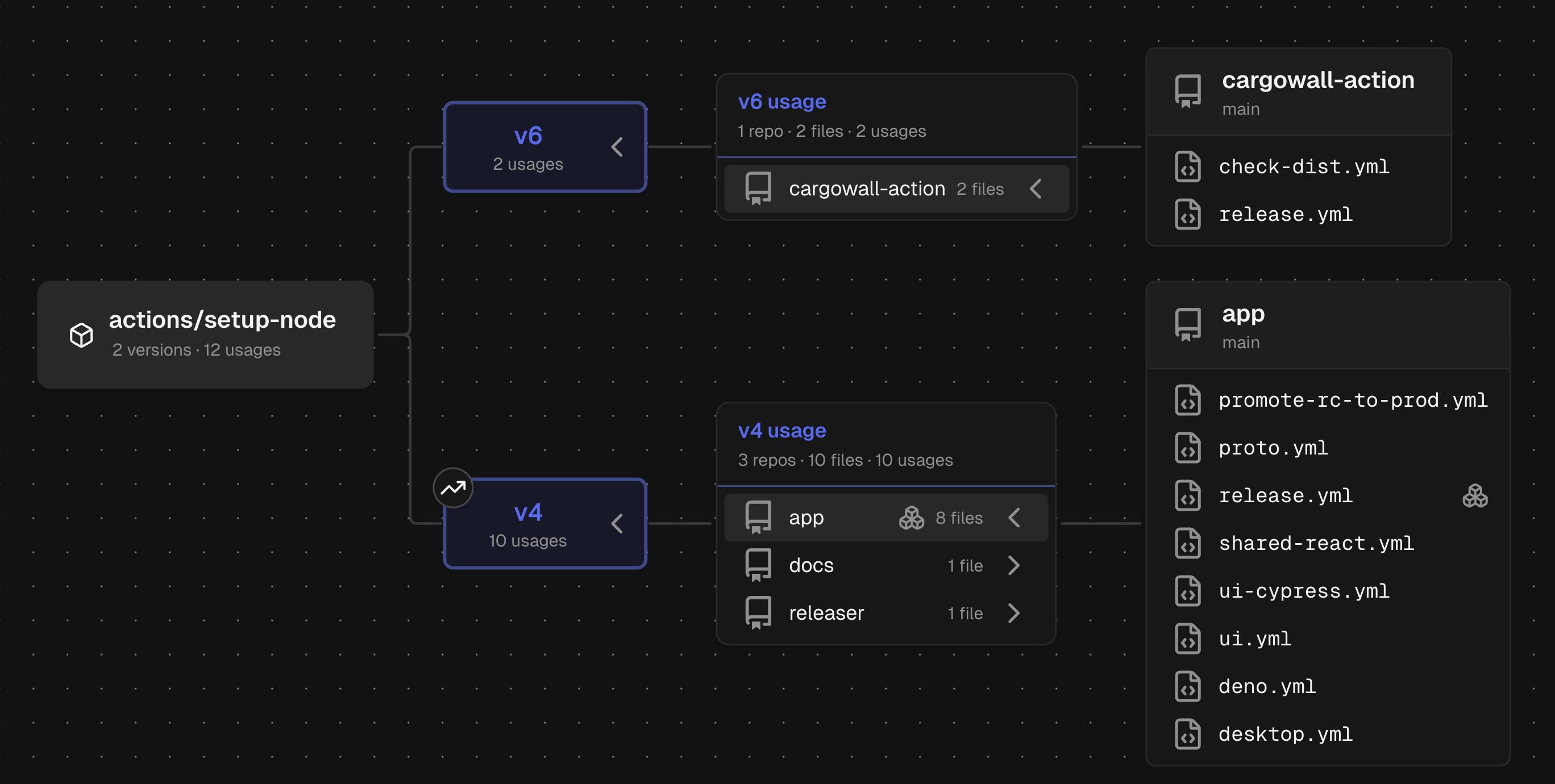 How to Contribute
If you'd like to contribute to the CargoWall GitHub Action, you can do so here:
- CargoWall Action repository: https://github.com/code-cargo/cargowall-action
- eBPF Firewall: https://github.com/code-cargo/cargowall
- GitHub Marketplace: https://github.com/marketplace/actions/cargowall-ebpf-firewall
Please enjoy the CargoWall Action, give us a star, and give us feedback on GitHub!
C
CodeCargo Team
The CodeCargo team writes about GitHub workflow automation, developer productivity, and DevOps best practices.