A Tale of Two Workflows
)
Step-by-step guide to making enterprise workflows compliant
)
April 21, 2026
"It was the best of times, it was the worst of times." Charles Dickens was writing about London and Paris, but he could have been describing the state of CI/CD pipelines in the enterprise. The best of times because we've never had more powerful automation at our fingertips. The worst of times because most of these workflows are running wide open, with no guardrails, no validation, and no compliance oversight.
Let's take a look at a simple GitHub Actions workflow, see how it might violate enterprise compliance rules, and then how you'd go about fixing it.
The Initial Workflow
This is a really simple workflow - it builds a Node.js application, runs tests, and pushes a Docker image to a registry.
name: Build and Push
on: push: branches: [main] pull_request: branches: [main]
jobs: build: runs-on: ubuntu-latest steps: - uses: actions/checkout@v4 - uses: actions/setup-node@v4 with: node-version: '20' - run: npm ci - run: npm test - uses: docker/login-action@v3 with: registry: ghcr.io username: ${{ github.actor }} password: ${{ secrets.GITHUB_TOKEN }} - uses: docker/build-push-action@v5 with: push: true tags: ghcr.io/${{ github.repository }}:${{ github.sha }}This workflow is pretty straightforward - there doesn't seem to be anything particularly egregious. It does its job, pushes a Docker image, then completes.
The Compliance Rules
Now let's take a look at a few corporate compliance rules for GitHub Actions workflows that build source code and deploys Docker images:
- All 3rd party Actions must be pinned to a full SHA
- Workflow-level permissions for the GitHub token must be set to
read-all. Job-level permissions must specify only the minimum required. - All secrets must be passed through environment variables or GitHub secrets
- Workflows must include a timeout for every job
- Container images must be built with provenance attestations enabled
Attempt #1 - Fixing the Workflow
Now that we have a GitHub Actions workflow and simple compliance rules, let's say that a Software Engineer receives a ticket to make this workflow compliant. Here's what they might create:
name: Build and Push
on: push: branches: [main] pull_request: branches: [main]
permissions: read-all
jobs: build: runs-on: ubuntu-latest timeout-minutes: 15 permissions: contents: read packages: write steps: - uses: actions/checkout@v4 - uses: actions/setup-node@v4 with: node-version: '20' - run: npm ci - run: npm test - uses: docker/login-action@v3 with: registry: ghcr.io username: ${{ github.actor }} password: ${{ secrets.GITHUB_TOKEN }} - uses: docker/build-push-action@v5 with: push: true tags: ghcr.io/${{ github.repository }}:${{ github.sha }}They made a really solid effort and greatly improved the workflow.
They added
permissions: read-all (line 9) which sets the GitHub token permissions to the minimum available. They also added contents:read (line 16) and packages: write (line 17) to provide additional permissions. They also added timeout-minutes: 15 (line 14) to ensure the workflow doesn't run forever. This addresses rules #2 and #4.However, there are still a few issues:
actions/checkout@v4,actions/setup-node@v4,docker/login-action@v3, anddocker/build-push-actionstill use tags, not SHA hashes (rule #1 violation)- Is
secrets.GITHUB_TOKENused correctly to authenticate to Docker Hub (rule #3 uncertainty) - Build provenance is not enabled for the Docker push (rule #5 violation)
You might wonder why the developer didn't fix these issues. The answer is simple: the developer didn't know how to, didn't have the authority to make the decision, and the implementation of the rules are incredibly complex that they needed expert help.
Double-Take - Let's get this Done Right
Now that the developer started to fix it, here's what a fully-compliant workflow actually looks like:
name: Build and Push
on: push: branches: [main] pull_request: branches: [main]
permissions: read-all
jobs: build: runs-on: ubuntu-latest timeout-minutes: 15 permissions: contents: read packages: write id-token: write steps: - uses: actions/checkout@b4ffde65f46336ab88eb53be808477a3936bae11 # v4.1.1 - uses: actions/setup-node@60edb5dd545a775178f52524783378180af0d1f8 # v4.0.2 with: node-version: '20' - run: npm ci - run: npm test - uses: docker/login-action@e92390c5fb421da1463c202d546fed0ec5c39f20 # v3.1.0 with: registry: ghcr.io username: ${{ github.actor }} password: ${{ secrets.GITHUB_TOKEN }} - uses: docker/build-push-action@2cdde995de11925a030ce8070c3d77a52ffcf1c0 # v5.3.0 with: push: true tags: ghcr.io/${{ github.repository }}:${{ github.sha }} provenance: trueWhat are the key differences here?
- Each action now uses an explicit SHA instead of a tag (lines 20, 21, 26, 31). This was missed the first time because the Software Engineer didn't know which specific tag was acceptable to use
secrets.GITHUB_TOKEN(line 30) remains the same - this was ultimately correct, though the rationale is incredibly complex. However, the Software Engineer didn't know why and thought it was a problem- Build provenance was turned on (line 35) - the Software Engineer didn't know this was a feature of the
docker/build-push-action - The permission
id-token: write(line 18) was added to support build provenance
Why does this Matter?
This process seems relatively straightforward. To make sure pipelines remain compliant, send the code and compliance documents to a Software Engineer. Have them perform a first pass, then send the result to a DevOps Engineer to complete the fix. Ultimately the gap between the first and second iterations are where most organizations exist - sort of compliant, but not really.
There are 3 key issues with this approach:
Software and DevOps Engineers don't have the time or bandwidth to do this for every pipeline. Organizations have thousands of pipelines and they may not change daily, but expect modifications on a weekly or monthly basis. While this process might work for startups, it doesn't scale to the enterprise.
Implementing these types of fixes requires high degrees of expertise. Most engineers are not GitHub Actions experts. Would an average engineer know that using
${{ secrets.GITHUB_TOKEN }} as part of a run command can leak the secret via process listings or shell logs? Would that same developer know that invoking that secret in a with block provides additional data protections? No, they wouldn't.Fixing is only half the battle - the other is centralized tracking. Once you make a workflow compliant, that needs to be reported somewhere. Where is this being reported? Who handles reporting? How often is the workflow rescored? What format should the data be in? In this case, proving that your workflows are compliant is equally as important as fixing them, especially when it comes to compliance controls such as SOC2.
Solving Workflow Compliance at Enterprise Scale
If you want to solve this problem at enterprise scale, you can't start assigning tasks to individual developers and then pass them on to more experienced DevOps or Platform engineers. You need a combination of engineering skills, AI, and a reporting system.
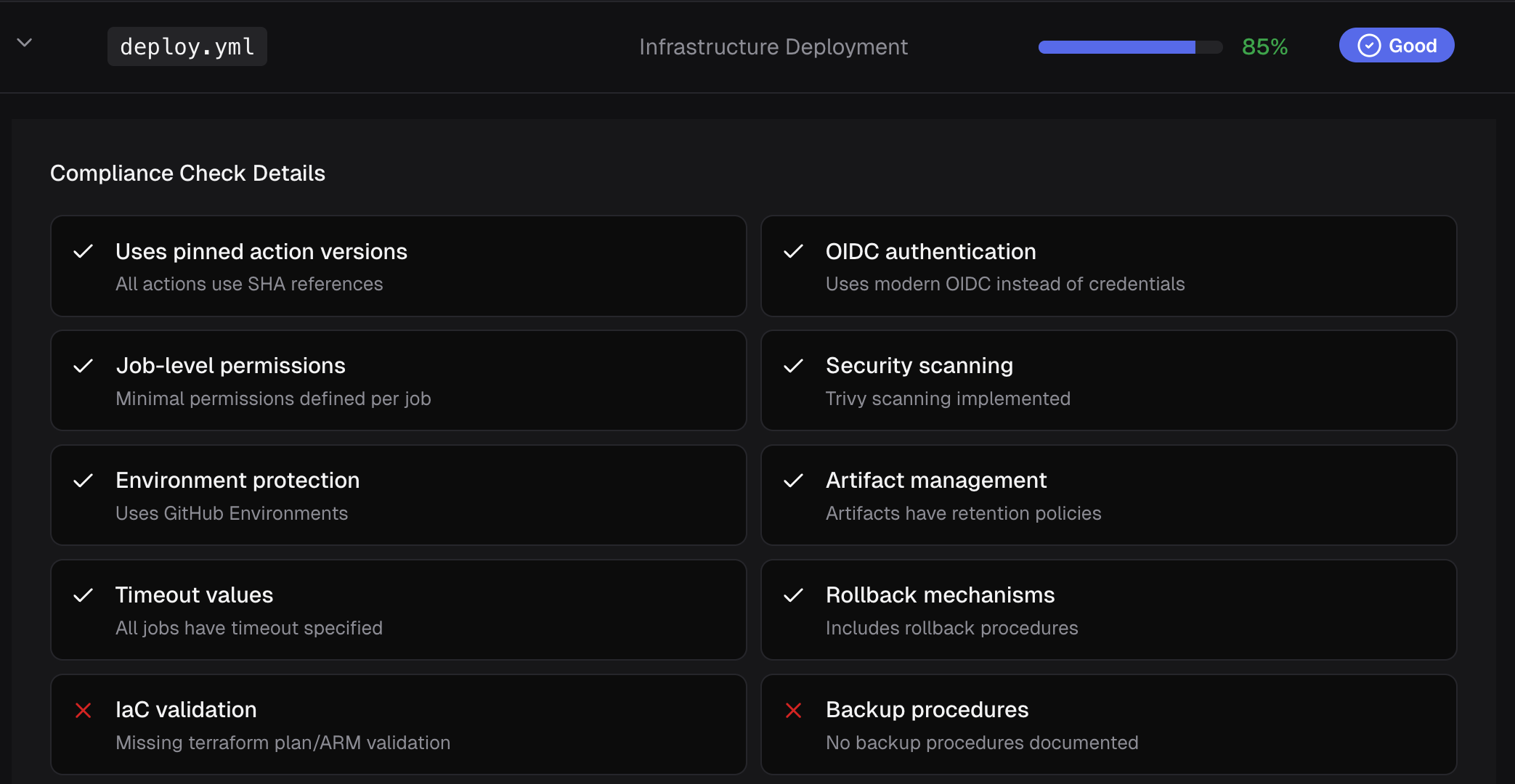
CodeCargo solves this problem by using AI to analyze your GitHub Actions workflows, score them against a set of configurable best-practices, and then remediate the workflows. Your Software and Platform engineers still have the ability to fine-tune the workflows before you deploy them for production usage. CodeCargo will continually score your workflows as they change ensuring you remain protected, and report status in an easy-to-use dashboard. Learn more today.
C
CodeCargo Team
The CodeCargo team writes about GitHub workflow automation, developer productivity, and DevOps best practices.