Meet Pipeline Migration Assistant
)
Migrate legacy pipelines to GitHub Actions in months, not years
)
July 13, 2026
Migrating legacy pipelines to GitHub Actions is hard. Or rather, it used to be hard. Not anymore.
Tech debt is the hallmark of enterprise IT organizations. For example, a Jenkins server deployed on-premises even though the company migrated to the cloud 5 years ago. User account creation that takes weeks because of a manual approval process defined in 2007 but never revisited. Or a few hundred Azure DevOps pipelines held together by shared templates and only three Platform Engineers who actually know how they work.
Migrating from old technology to new tools is incredibly difficult. Organizations don't have the time or manpower to do it themselves so they rely on an army of consultants doing the work manually. Every half-complete migration multiplies the tech debt until its impossible to manage. We've seen too many of these projects fail, so we built our pipeline migration assistant to help organizations succeed where many others have failed.
What is Pipeline Migration Assistant?
Pipeline migration assistant is a scalable, agent-powered pipeline migration engine that modernizes and migrates your legacy pipelines to GitHub Actions, leveraging your existing standards to reduce complexity and technical debt.
We modeled this after our own experience with successfully migrating our previous customers from Azure DevOps and Jenkins to GitHub Actions. We took that proven methodology, built bespoke AI migration agents, and wrapped it in project management tools so that it would scale to the enterprise.
Pipeline migration assistant is now available as a preview feature in CodeCargo platform.
How does Pipeline Migration Assistant work?
Using the pipeline migration assistant is incredibly easy. It was designed to be operated by a small team with fully customizable migration instructions, automation standards, and project management features. You can execute a big bang migration or break it into smaller pieces. Here's how it works:
Import Legacy Pipelines
You can easily import legacy pipelines from Azure DevOps and Jenkins. The platform provides simple scripts to run that import your pipelines and other components (e.g., shared libraries, custom tasks) into the application. It supports pipelines-as-code and legacy pipelines that were configured as Jenkins plugins.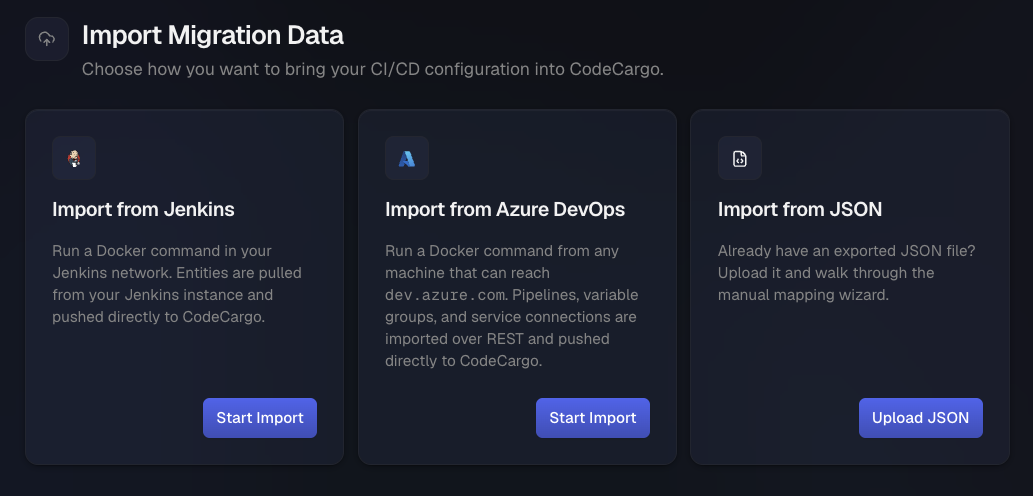 Importing your legacy pipelines usually takes an hour or two, but can take longer if you are large enterprise with thousands of pipelines. Our typical recommendation is you can kick off the import job at the beginning of the day and it will be complete by lunch time.
Pre-Migration Analysis
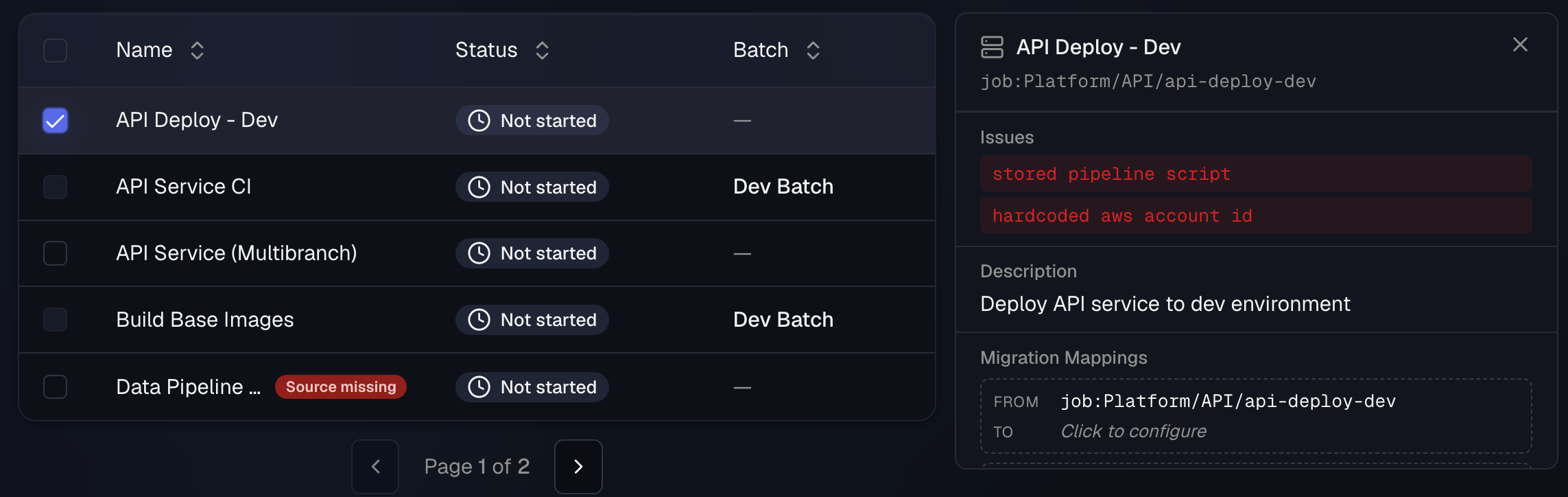
Once your legacy pipelines have been imported, the pipeline migration assistant will run a best-practices analysis on your pipelines. It will perform an initial mapping of pipelines and other components to GitHub repositories, recommend internal GitHub Actions and reusable workflows to leverage existing code, and identify features in your legacy pipeline platform that will be created in GitHub. It also provides recommendations for enhancing the actual pipeline architecture like removing hardcoded service endpoints.
Legacy Pipeline Mappings
After the analysis is complete, you can view all of the legacy components that will be migrated and start mapping them to GitHub primitives. The pipeline migration assistant already performed some of this work during the pre-migration analysis. This is your chance to identify those mappings and refine them as necessary.
For example, you might have a pipeline that deploys an application to Kubernetes via
kubectl - the pipeline migration assistant would recommend that you use an existing GitHub Actions reusable workflow that performs the same functionality. You know that this pipeline also sends execution status to your enterprise Slack grid. You can add an internal GitHub Action that provides this functionality. 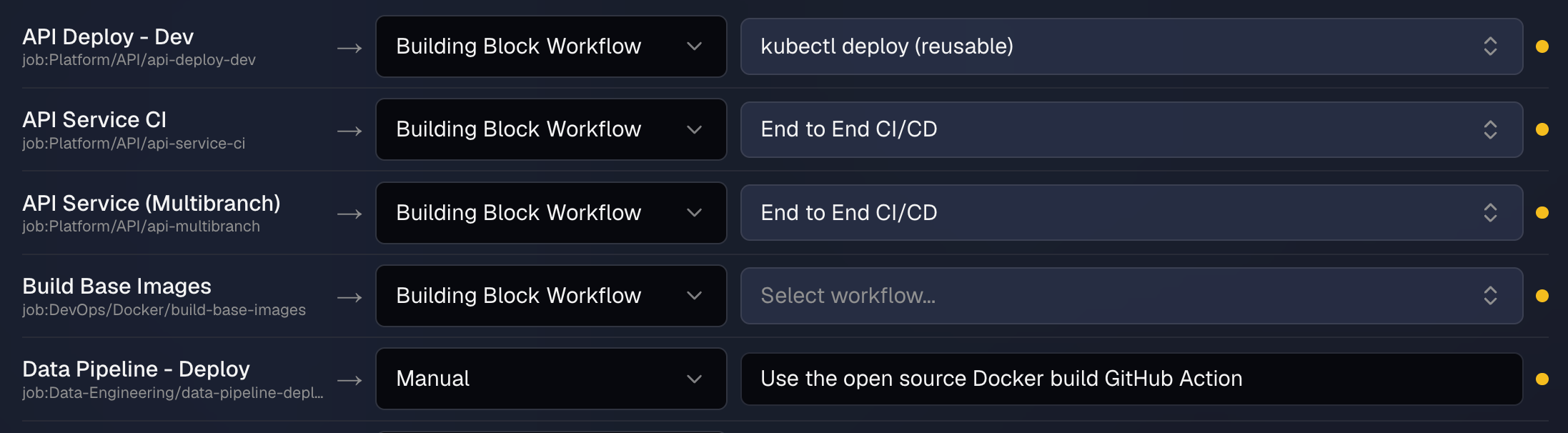
Your legacy pipeline implementation might have had 1000 pipelines - at the end of the day, they all build, test, an deploy software. However, each pipeline implemented those core functions differently. Now the pipeline migration assistant will map those pipelines to the underlying reusable components to improve maintainability, security, and compliance. Now you are left with 1000 pipelines that each call the same reusable workflows to perform the builds, tests, and deployments.
Execute the Migration
The pipeline migration assistant lets you run your migration as a big bang or via batches - smaller groups of pipelines that align to applications, teams, business units, or other groupings. When you execute the migration, the pipeline migration assistant will take all of the context you've built, modernize, and then migrate your pipelines.
Migration Context: the pipeline source code, pre-migration analysis, human-provided recommendations, migration mappings, and existing GitHub components such as Actions and reusable workflows
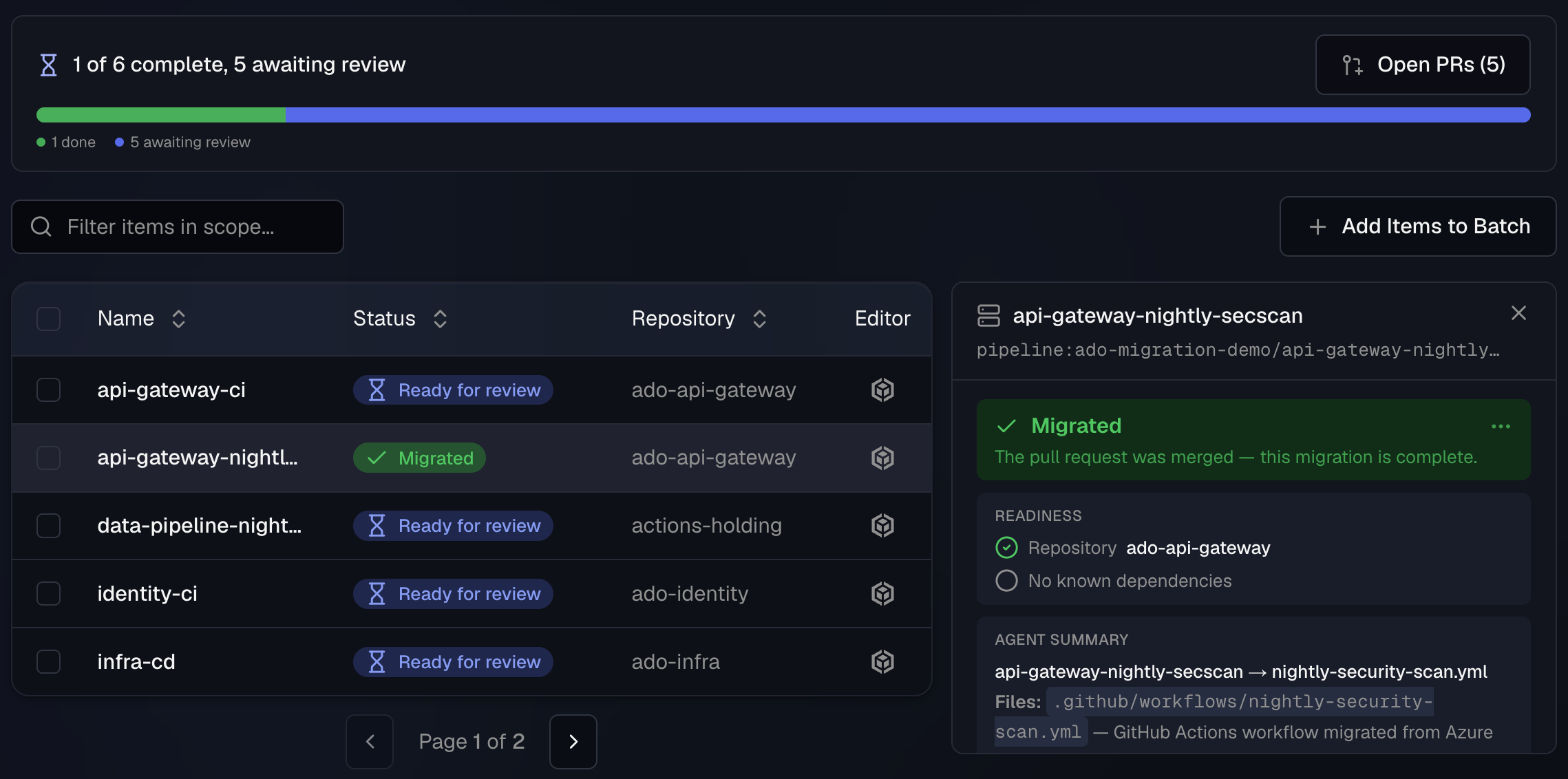
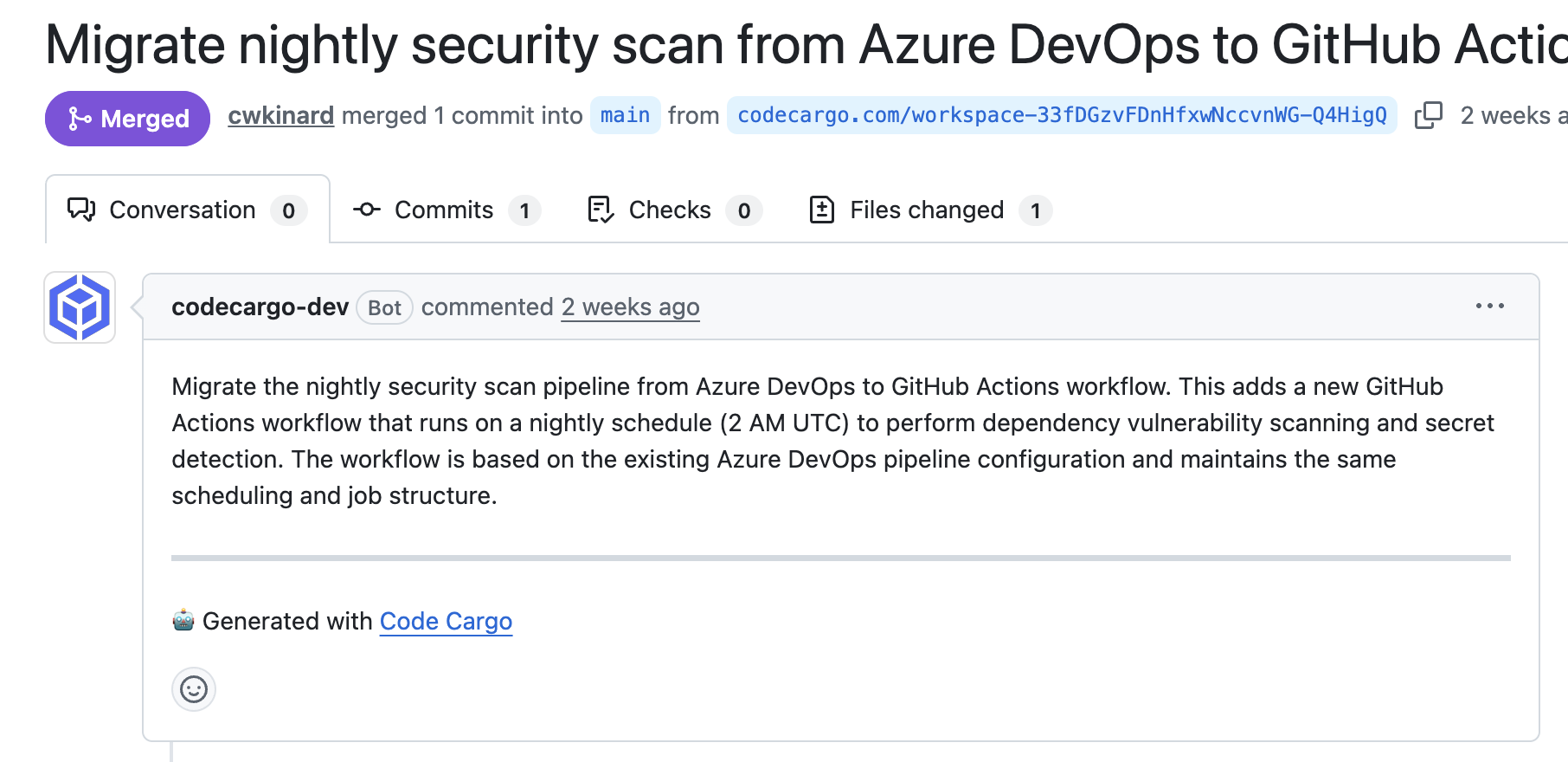
Once a migration agent completes its task, it will create a PR so an engineer (or other AI coding agents) can review it.
Approve the PR
Once the pipeline migration assistant creates your PR (or more likely, multiple PRs), you will receive a notification for further review. If you are happy with the migrated pipeline, you can approve the PR and merge to main. If you want to make changes, you can ask our pipeline migration agent, leverage GitHub Copilot, or use any other AI coding agent to make the final changes.
Key Takeaways
We're very excited to release our pipeline migration assistant. We are trialing it with several enterprise customers and we're completing migrations in months that the customer thought would take years.
This new product allows you to perform modernization and migration at the same time, distribute the work to different teams as a self-service capability, and provide full insights during the entire process. If you are interested in trying it for yourself, please contact us at sales@codecargo.com.
C
CodeCargo Team
The CodeCargo team writes about GitHub workflow automation, developer productivity, and DevOps best practices.