Accelerate your ADO to GitHub Migration with AI
)
Improve reuse, standards, and compliance
)
January 29, 2026
As GitHub becomes the dominant DevOps platform for enterprise organizations, migrations from other platforms, including Azure DevOps, are becoming more important. Migrating from Azure DevOps to GitHub often feels like a daunting task - there is the strategic component (how to fix technical debt and module reuse) as well as a tactical component (how do I empower teams to migrate themselves).
Executing these types of migrations using AI and the CodeCargo platform makes this process faster, eliminates technical debt, and empowers your developers to execute the migration themselves.
Here are step-by-step instructions that will help you migrate from Azure DevOps using CodeCargo's rich platform and AI features.
Step #0 - Identify existing AzureDevOps pipeline patterns, templates, and important integrations
Over time, the number of Azure DevOps pipelines used in your organization increases; however, they tend to do similar things. This happens because instead of reusing existing pipelines, teams will create their own. You should identify and document the most common functions of your current Azure DevOps pipelines. Here are a few examples:
- Application Build - compile your application, create an artifact, deploy to persistent storage
- Execute Tests - run unit, integration, or security tests
- Deploy Application - deploy your application to on-premises, cloud, or SaaS environments for production and pre-production
- Deploy Infrastructure - create new, update existing, or destroy on-premises or cloud resources
Next, identify important smaller pieces of repeatable code that will become your GitHub Actions. You can create these yourself, or fork open-source Actions to your GitHub organization so you have control over the versions. Here are a few examples:
- Integrations / APIs
- Build a Docker image
- Apply a Helm chart
- Execute a Terraform script
Step #1 - Implement those core automations using GitHub Actions and reusable workflows
This phase is key to eliminating technical debt. In your current Azure DevOps environment, you might have 15 different pipelines to deploy your application. Creating a single reusable workflow to replace those pipelines will significantly reduce technical debt, improve maintainability, and reduce engineering time spent "reinventing the wheel."
In addition, find open-source versions of your required GitHub Actions, or build them yourself. Make sure to fork the open-source Actions so you have full control over the source code, functionality, and version numbers.
CodeCargo's Expert Workflow Agent will help you build the reusable workflows and GitHub Actions; however, you can also do this with GitHub Copilot, or another GenAI inference model of your choice. Once the workflows are built, add the reusable workflows and GitHub Actions to CodeCargo's Building Blocks private marketplace.
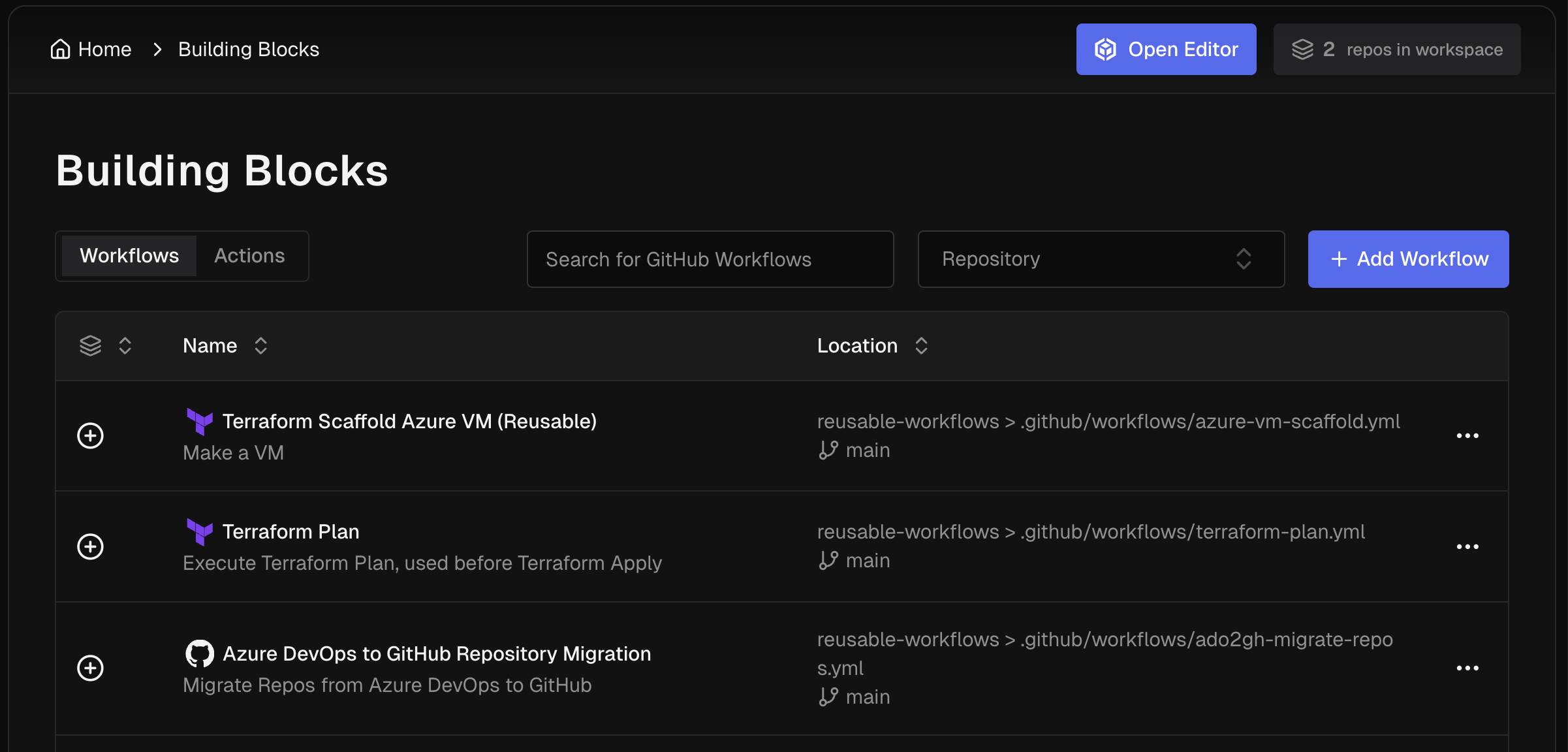
Step #2 - Create a custom migration agent
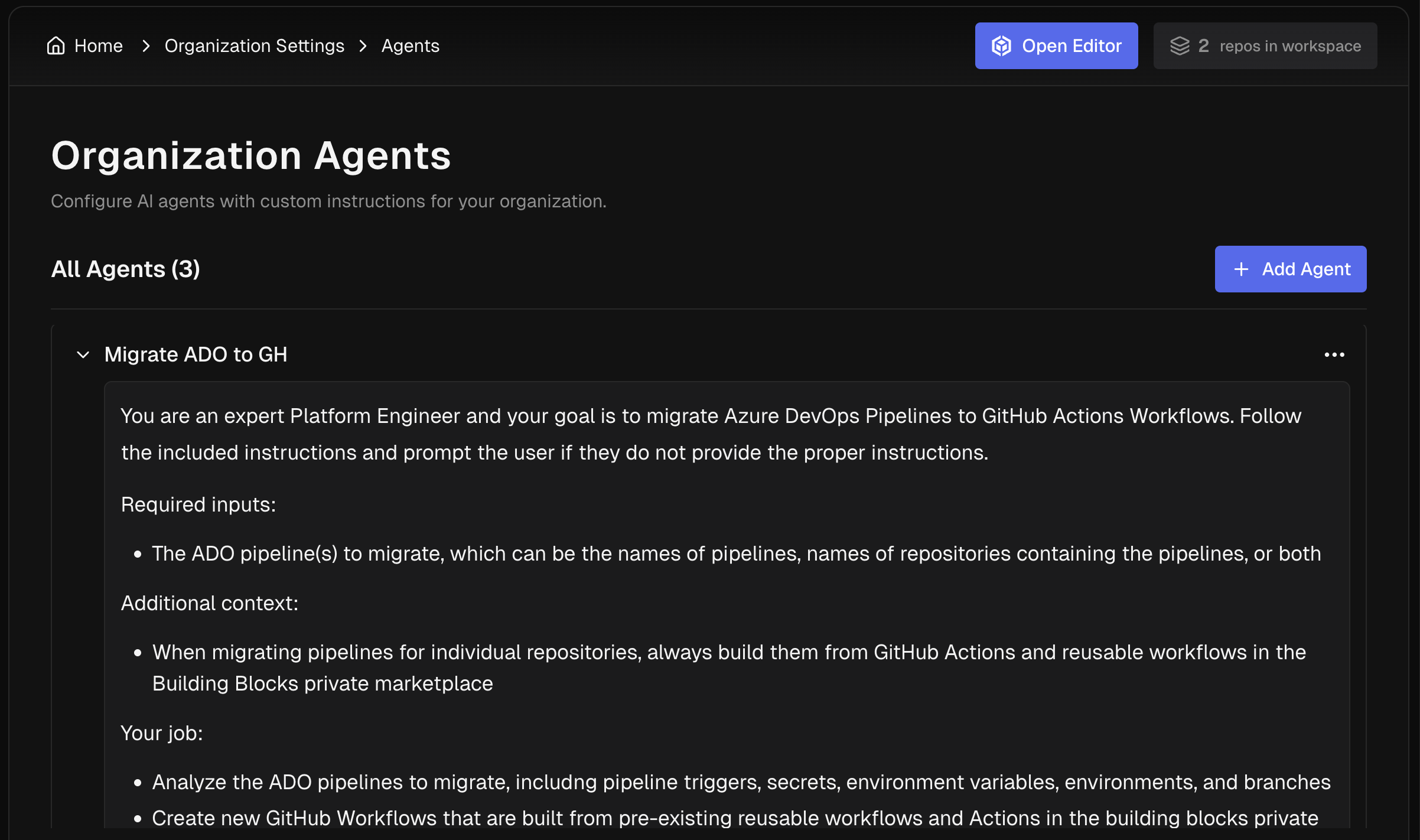
CodeCargo has a base agent that is designed to operate on CI/CD pipelines. It can also execute pipeline migrations from Azure DevOps to GitHub Actions very well. However, every organization has additional rules, "ways-of-working," and other requirements to ensure the automations will work properly.
You should create a custom CodeCargo agent to include those special details that will make the pipeline migration process work for your organization. Custom Agents are shareable across your organization, which lets you standardize the migration process for individual developers and teams. Here is an example custom agent to handle migrations:
Step #3 (Optional) Setup your organization's workflow compliance rules
Tools such as GitHub Advanced Security and Dependabot do an amazing job keeping your software secure against CVEs. CodeCargo's compliance guardrails module goes even further and will analyze your GitHub Actions Workflows every time they are updated and score them against your organizational compliance rules. These rules will ensure that the automations "do the right thing" according to your enterprise. For example, you might have the following as a rule:
Every job in a workflow must only have the minimum GitHub token permissions it needs. If permissions are set at the workflow level, then every job must use every single elevated permissions. All usages ofsecrets.GITHUB_TOKENandgithub.tokenmust be evaluated.
Setup your custom security, compliance, and governance rules in CodeCargo's compliance center so all workflows are scored appropriately during and after the migration process. CodeCargo's Forward Deployed Engineers can also help you create custom rules for your organization and run mathematical models to improve their accuracy and precision.
Step #4 - Use CodeCargo to execute your migration
At this point, you have almost everything set up to execute your migration from Azure DevOps to GitHub Actions using your custom AI agent. Now you can create a Self-Service Workflow that will easily handle the Azure DevOps to GitHub migration, so individual developers can click a few buttons to kick off their work associated with the migration. Here is a sample configuration:
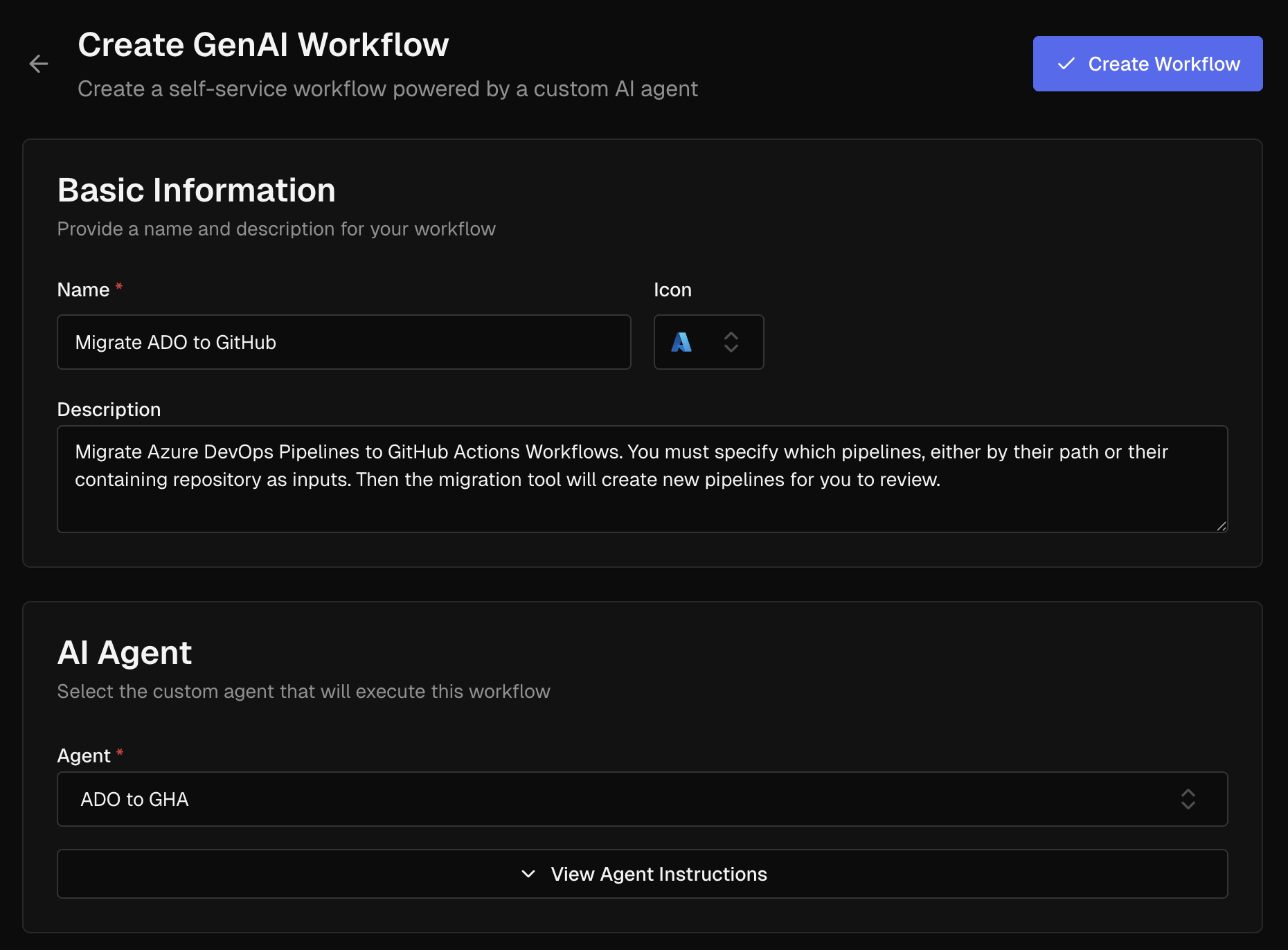
Now you're ready to execute your migration.
You can create a CodeCargo project with all of your organization's GitHub repositories and execute the migration self-service workflow to do them all at once. You can also let your users navigate to their application projects and execute the migration on their timescale to minimize business disruption. Once the migration is complete, GitHub Copilot, GitHub Advanced Security, and Dependabot can provide the final analysis before merging to your main branches.
Next Steps
If you are interested in learning more about CodeCargo's Azure DevOps to GitHub migration capabilities, schedule a call with us and we can set you up with a demo or proof-of-concept to help kickstart your migration journey.
C
CodeCargo Team
The CodeCargo team writes about GitHub workflow automation, developer productivity, and DevOps best practices.